


Jason
November 10, 2026
Amazon sellers operate in an increasingly competitive market. To get ahead, leveraging powerful seller tools isn't optional—it's essential. This guide details the 15 best Amazon seller tools, their benefits, pros and cons, comparisons, and essential insights. Additionally, you'll learn how to choose the right tool for your business no matter what stage you're at.
How to Choose the Best Amazon Seller Tool
- Identify specific needs: Wholesale, arbitrage, advertising, or private labeling.
- Consider business scale: Tools should accommodate business growth.
- Budget wisely: Balance cost against functionality.
- Ease of Use: Match tool complexity with your experience.
- Support quality: Tools should offer robust support and resources.
Comparison: Top Amazon Seller Tools
| Tool | Primary Use | Pricing | Ease of Use | Analytics Depth | Best For |
|---|---|---|---|---|---|
| Analyzer Tools | Wholesale Analytics | Affordable | Easy | High | Bulk Wholesale Sellers |
| Keepa | Price Tracking | Affordable | Moderate | High | Historical Price Checks |
| Datadoe | Amazon Data & AI Actions | Moderate | Easy | High | Brands & Agencies Using AI |
| SmartScout | Category Research | Premium | Easy | High | Market Research |
| Nova | Profit Analytics & AI | Moderate | Easy | High | Brands & Agencies |
| Sellerboard | Profit Analytics | Affordable | Easy | Moderate | Small & Growing Sellers |
| Seller Snap | Automated Repricing | Premium | Easy | High | Competitive Niches |
| Jungle Scout | Product Research | Premium | Easy | High | Product Research |
| Helium 10 | Comprehensive Suite | Premium | Moderate | High | Comprehensive Analytics |
| SellerApp | PPC Management | Premium | Moderate | High | Advertising & Analytics |
| SellerAmp SAS | Arbitrage Analysis | Moderate | Easy | Moderate | Retail Arbitrage |
| Inventory Lab | Inventory Management | Moderate | Easy | High | Large Inventories |
| My Real Profit | Profit & Customer Analytics | Premium | Moderate | High | CPG Brands & Agencies |
| AMZScout | Competitor Analysis | Affordable | Easy | Moderate | Beginners |
| Pixelfy | URL Management | Affordable | Easy | Low | Marketing & Tracking |
1. Analyzer Tools
stage.analyzer.tools is a leading wholesale analytics platform designed specifically for bulk product analysis and intelligent sourcing.
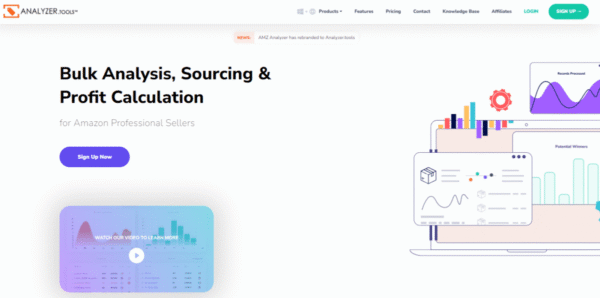
With unmatched speed (up to 4 million products per hour, returning 80+ data points per product), stage.analyzer.tools provides sellers with accurate profit calculations, detailed historical sales data, Brand IP alerts and bulk gating restriction check. Its intuitive and customizable grid view makes navigating large datasets seamless, significantly reducing time and effort during product selection. The spreadsheet scan works from UPC, EAN, ASIN or ISBN, or from the product title alone with AI Title Search.
- Benefits: Increased profitability, significant time savings, superior competitive insights.
- Pros: Fast and efficient processing, comprehensive analytics, affordable pricing structure.
Read more: Amazon Product Research: What It Is and Why It Matters
2. Keepa
Keepa excels at providing historical pricing and sales data crucial for making informed sourcing decisions. Sellers rely on Keepa’s easy-to-read graphs that clearly visualize market trends and pricing fluctuations over time, aiding strategic pricing and inventory management decisions.
- Benefits: Reliable historical trend analysis, reduced risk in sourcing decisions.
- Pros: Extensive and detailed historical data, straightforward visualization.
- Cons: Potentially overwhelming interface for beginners.
For additional support when reviewing price history and brand restrictions, you can also refer to our guide on Amazon restricted brands.
3. Datadoe
Datadoe is a data layer that connects Amazon Seller Central, Vendor Central and Amazon Ads data into one schema, so AI assistants such as Claude or ChatGPT can read an account's data and, with approval controls, act on it. Access is through MCP, a REST API or BigQuery, and the first sync backfills about two years of history.
- Benefits: Orders, fees, inventory, listings, search terms and ad data in one place; AI can answer account questions and help with tasks like repricing or negative keywords.
- Pros: Works with the AI tools you already use; write actions are off by default and every change is logged.
- Cons: Built for account data and automation, not for sourcing or bulk product analysis; plans start at $97 per month.
4. SmartScout
SmartScout provides a powerful way to explore Amazon’s marketplace through brand, seller, and product intelligence. Its visual “seller map” and category explorer reveal how brands compete, what products drive traffic, and where new opportunities exist. It’s especially useful for wholesale and agency sellers looking to analyze competitors and uncover hidden product gaps.
- Benefits: Unique insights into market share, brand reach, and cross-seller relationships.
- Pros: Unique seller and brand mapping, high data accuracy, and intuitive navigation.
- Cons: Wholesale plan has limited scan volume; some advanced analytics require higher-tier subscriptions.
5. Nova
Nova is an Amazon analytics platform for brands and agencies that shows profit per SKU, updated through the day, with Amazon fees, ad costs and cost of goods accounted for. It covers Seller Central and Vendor Central across 23 Amazon marketplaces, with two years of history, advertising, Search Query Performance and inventory data in one place.
Nova also connects to Claude, ChatGPT and Gemini through its MCP server, so sellers can ask questions about their business in plain language and get answers from their own Amazon data, such as which SKUs lost margin this week and why.
- Benefits: Accurate profit per SKU, faster answers on what changed, one view across accounts and marketplaces.
- Pros: Frequent data sync, Seller and Vendor Central coverage, connects to AI assistants, multi-account dashboard for agencies.
- Cons: Built for established sellers and agencies; priced per Amazon account, starting at $49/month.
6. Sellerboard
Sellerboard is a profit analytics tool for Amazon sellers that shows net profit after Amazon fees, PPC, refunds and cost of goods in a daily profit-and-loss dashboard. It also detects refunds and reimbursements Amazon owes you and sends inventory alerts, which makes it a lower-cost way for small and growing sellers to see what each product really earns.
- Benefits: Clear net profit by product, recovered reimbursements, simple setup for smaller sellers.
- Pros: Low starting price, straightforward daily profit and loss, refund and reimbursement detection, inventory alerts.
- Cons: Best suited to smaller sellers; its email automation is basic, and it does not do bulk sourcing or supplier list analysis.
7. Seller Snap
Seller Snap offers AI-driven pricing optimization, automating price adjustments to maintain competitiveness without sacrificing profit margins. It’s highly effective for sellers in competitive niches requiring real-time repricing.
- Benefits: Improved profitability, reduced manual effort.
- Pros: Exceptional AI-driven automation.
- Cons: Premium pricing.
8. Jungle Scout
Jungle Scout is highly recognized for robust product research and supplier verification. Sellers utilize its extensive database for reliable product trend forecasts, identifying profitable niches, and gaining supplier trustworthiness.
- Benefits: Effective niche discovery, supplier reliability.
- Pros: User-friendly, powerful analytics.
- Cons: Relatively expensive subscription.
Discover more: Top Jungle Scout Alternatives
9. Helium 10
Helium 10 offers a broad suite of powerful tools for keyword research, product optimization, and profitability tracking. Its comprehensive toolset makes it versatile enough for all types of Amazon sellers, from beginners to established brands.
- Benefits: Diverse solutions, broad applicability.
- Pros: Comprehensive suite, scalability.
- Cons: Complexity for newcomers.
For additional strategies on powering up your keyword research, refer to our article on free keyword tools for Amazon listings.
10. SellerApp
SellerApp integrates deep analytics with PPC campaign management, helping sellers optimize advertising spending and gain actionable market insights. It focuses on enhancing profitability through strategic marketing and optimization.
- Benefits: Maximized advertising ROI, targeted market analytics.
- Pros: Strong PPC functionality, detailed performance metrics.
- Cons: Requires dedicated learning.
11. SellerAmp SAS
SellerAmp SAS is an invaluable tool for retail and online arbitrage sellers, offering immediate insights into profitability directly within browser windows or through its mobile app. SellerAmp's quick, at-a-glance data helps sellers make confident, timely sourcing decisions.
- Benefits: Real-time profitability, efficient sourcing decisions.
- Pros: Mobile-friendly, user-friendly interface.
- Cons: Limited capability for bulk analysis.
Managing product identifiers for arbitrage? The stage.analyzer.tools ASIN to UPC/EAN converter handles fast lookup and conversion.
12. Inventory Lab
Inventory Lab significantly streamlines the complexities of inventory management, financial tracking, and product listings, making it ideal for sellers managing large product catalogs. Its efficient barcode scanning integration accelerates the listing and inventory process.
- Benefits: Accurate inventory management, streamlined financial tracking.
- Pros: Easy integration, comprehensive reporting.
- Cons: Less practical for small inventories.
Update: Inventory Lab has had development issues in 2026 which has caused data issues and uptime concerns by its customers. It's inclusion on our list of best tools for 2026 is under review. For now, proceed with caution.
13. My Real Profit
My Real Profit is an Amazon analytics platform built for CPG brands and agencies, backed by a human data team, that turns Seller Central and Advertising API data into a full profit picture by SKU, keyword, and customer type. It is built around a new to brand versus repeat customer profit split, a capability most basic profit trackers do not offer.
- Benefits: Clear true profit per SKU, cleaner ad spend decisions, visibility into new versus repeat customer performance.
- Pros: Built in new to brand vs repeat P&L split, proprietary Funnel Score for market share and keyword coverage, accrual basis profit tied to the actual order date, human data team support included.
- Cons: Priced higher than basic profit trackers, best suited for established CPG brands rather than very small sellers.
14. AMZScout
AMZScout offers accessible, intuitive tools for product research and competitor analysis. Its simplicity makes it an excellent starting point for new sellers or smaller-scale Amazon businesses.
- Benefits: Accessible market research, intuitive use.
- Pros: Beginner-friendly design.
- Cons: Limited advanced options.
Explore further: AMZScout vs. stage.analyzer.tools
15. Pixelfy
Pixelfy is a link management tool built for Amazon sellers. It turns long Amazon URLs into short, trackable links, lets you attach retargeting pixels from platforms such as Facebook, Google and LinkedIn, and reports clicks by location, device and browser. It also includes a URL rotator for testing up to 50 links at once, QR codes, link expiration and mobile deep linking.
- Benefits: Track which outside traffic sources send clicks to your listings, and retarget those visitors with ads.
- Pros: Low-cost tiers, A/B testing of links, and click data in one dashboard.
- Cons: A marketing and tracking tool, not a research or sourcing tool; lower plans cap clicks and pixels, and its claims about keyword-embedded links improving rankings are not independently verified.
Doing Bulk Amazon Product Research Faster
Speed is essential for wholesale and arbitrage sellers dealing with extensive supplier catalogs. Not every software is purpose-built for quick, accurate Amazon bulk analysis. Advanced tools like stage.analyzer.tools allow you to upload, scan, and filter massive product lists at scale, helping you uncover profitable items faster than manual checks or lighter browser extensions. If you’re still relying on slow, manual spreadsheets for FBA profitability, consider exploring purpose-built bulk Amazon product research tools to maximize your efficiency and minimize sourcing errors.
How to Choose the Best Amazon Seller Tool
When selecting the best Amazon seller tool, it's essential to first identify your specific business needs, whether that's wholesale, arbitrage, advertising, or private labeling. Additionally, consider the scale of your business and choose tools that can support your growth over time.
Budget wisely by balancing cost against the functionality and value each tool offers. Also, match the complexity of the tool to your experience level to avoid unnecessary frustration or learning curves. Finally, ensure that the tool you choose provides robust support, training, and resources to help you maximize its capabilities.
Tips for Integrating Multiple Amazon Seller Tools
To maximize the efficiency of your Amazon business, integrating multiple seller tools effectively is crucial. Here are some strategies to make the most out of your tools without redundancy or unnecessary expenses:
- Define Your Primary Needs – Before subscribing to multiple tools, outline your core requirements, such as product research, keyword optimization, repricing, or inventory management. Choose tools that excel in these areas instead of overlapping functionalities.
- Use a Combination of Free and Paid Tools – Some free tools provide valuable insights, such as Amazon’s own Seller Central analytics. Complement these with paid tools for more in-depth analysis and automation. Check out Top Free Amazon Product Research Tools to see which ones can supplement your strategy.
- Avoid Redundancy – Many seller tools offer similar features. Compare capabilities before committing to multiple subscriptions to ensure you’re not paying for the same functions across different platforms.
- Leverage API Integrations – Some advanced tools, such as Helium 10 and SellerApp, integrate with other platforms to automate workflows. If you're scaling, prioritize tools that offer API access or seamless connections with your existing tech stack.
- Schedule Regular Data Reviews – Ensure that the insights from each tool are being utilized effectively. If a tool isn’t providing actionable insights, reconsider its necessity.
- Prioritize Ease of Use & Support – While feature-rich tools can be tempting, they can also be complex. Select tools that offer robust support, training, and an intuitive user interface.
Frequently Asked Questions (FAQs)
What are Amazon Seller Tools?
Amazon seller tools are third-party applications designed to assist with tasks like product research, inventory management, pricing optimization, advertising, and review generation. These tools help sellers streamline operations and maximize profitability.
Do I need to use seller tools to succeed on Amazon?
While you can sell on Amazon without third-party tools, leveraging them can significantly improve efficiency, save time, and provide insights that enhance decision-making.
What is the best Amazon seller tool for beginners?
Beginners should start with tools that offer free or budget-friendly options, such as Keepa for price tracking and AMZScout for basic product research. As your business grows, you can integrate more advanced tools like stage.analyzer.tools or Helium 10.
What’s the difference between free and paid Amazon tools?
Free tools typically offer limited functionality, while paid tools provide more in-depth data, automation, and scalability. Some freemium tools allow users to access essential features but require a subscription for full capabilities.
How do I choose the best seller tool for my business?
Consider your business model (wholesale, private label, arbitrage), budget, and required features. Tools like stage.analyzer.tools are ideal for wholesale sellers, while Jungle Scout or Helium 10 are best for private-label sellers.
Can I use multiple seller tools together?
Yes, many sellers use a combination of tools for different aspects of their business. For example, stage.analyzer.tools for bulk product analysis, Keepa for price history tracking, and SellerAmp for quick profitability insights.
Which Amazon tool is best for keyword research?
Helium 10 and SellerApp provide comprehensive keyword research and optimization features to improve product visibility on Amazon.
Final Thoughts
Choosing the right Amazon seller tools can be the difference between struggling to keep up and dominating your niche. The right tools not only streamline your workflow but also provide critical insights that drive profitability, efficiency, and long-term growth. Whether you're a wholesale seller, private label brand, or retail arbitrage expert, investing in tools that enhance market research, pricing strategies, and operational efficiency will give you a competitive edge in 2026 and beyond.
Instead of subscribing to multiple tools blindly, focus on solutions that save time, reduce risk, and provide actionable data. A tool like stage.analyzer.tools can help wholesale sellers analyze bulk product lists at unmatched speeds, while platforms like Helium 10 and Jungle Scout cater to private label sellers looking for keyword research and listing optimization.
Have a supplier list with thousands of products? stage.analyzer.tools checks them all at once from a supplier spreadsheet, with profit, ROI and Bought in Past Month. Plans start at $15. See plans and pricing.