


Jason
November 10, 2026Choosing between AMZScout and stage.analyzer.tools comes down to how you find products. Many sellers debate AMZScout vs stage.analyzer.tools because both help with product research and sales data, but they are built for different workflows. If you want more background on how these tools fit into the research process, see our guide to Amazon product research.
- See which tool fits your sourcing model: product discovery or bulk supplier-list analysis.
- Compare how each handles product research, sales estimates and filtering.
- Understand the workflow and learning curve of each platform.
- Check current stage.analyzer.tools pricing and how to evaluate what you will actually use.
1. Why These Two Platforms Are Worth Comparing
AMZScout is best known for its Chrome extension and product database, which help sellers browse Amazon and spot product ideas quickly. stage.analyzer.tools is built for sellers who already have supplier price lists and need to find out which items will be profitable. Comparing them makes sense because many sellers use one or the other, or both, at different stages.
Most Amazon software offers some mix of product research and cost calculation. The question is which one matches what you do every week.
2. Restricted and Niche Product Research
A good tool should help you avoid products you cannot sell. stage.analyzer.tools includes Brand IP Alert and Bulk Seller Restrictions (Ungating) checks, so you can see which products carry IP or approval risks before you buy. Resources like this explainer on restricted brands can also help sellers avoid costly mistakes. If you deal in specialized or high-risk items, look for tools with built-in checks like these.
3. Feature Highlights: Product Research and Sales Estimates
Both platforms help you evaluate products on Amazon, but they start from different places.
- AMZScout: a Chrome extension and product database for browsing and researching products, which suits discovery and quick checks on individual listings.
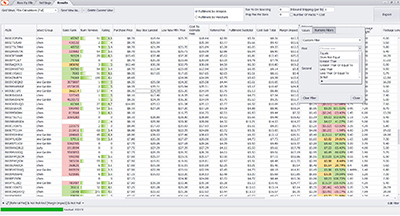
- stage.analyzer.tools: bulk analysis of supplier lists. Upload a spreadsheet and it returns profit, ROI and Amazon fees for each product, with 80+ data points per product, estimated sales and Bought in Past Month (30, 90 and 180 days). It can process up to 4 million products per hour.
Sales estimates are models, not exact counts, in any tool. Check more than one signal, such as estimated sales next to Bought in Past Month, before you order inventory. For more on effective product discovery, see this resource on Amazon product research.
Bulk Analysis and Competitor Checks
stage.analyzer.tools adds tools aimed at sourcing decisions: Competing Seller Scan to see who else sells a product, Reverse Source Browser Scan to work backward from a product to suppliers, Advanced Multi-Pack Support for bundle math, and Deep Scan to pull up to 100,000 Amazon results at once. These suit wholesale and online arbitrage workflows.
Sellers who want to see how others identify winning products might also read how to find a product to sell on Amazon without guesswork.
If you import goods, cost changes matter too. See how tariffs are transforming Amazon FBA costs, since landed cost affects which products stay profitable.
4. User Experience and Learning Curve
AMZScout is built for quick, surface-level checks while you browse Amazon, which many newer sellers find easy to pick up. stage.analyzer.tools has a different shape: you work in a spreadsheet-style workflow, scanning a whole list and sorting by profit, ROI or Bought in Past Month. Sellers who work with supplier lists usually find that faster than checking products one at a time. Sellers who mostly browse for ideas may prefer a browser-based tool.
5. Pricing and Long-Term Value
stage.analyzer.tools plans start at $15 for a 2-day pass (Web) or $30 (Web Pro). A 5-day pass is $25 or $40, monthly plans are $49 or $69, and yearly plans are $441 or $621 (25% off). Plans have no processing limits on core data, so a large supplier list does not use up an allowance. For AMZScout's current prices, check its own pricing page, since plans and limits change.
When you compare cost, look at what each plan lets you do with the volume you actually process. If your main interest is pitting multiple tools against each other on ROI, see how stage.analyzer.tools stacks up in this ROI-focused comparison.
6. Combining Tools
New sellers sometimes stick to a single tool, but many use a discovery tool for ideas and a bulk tool to confirm the numbers on a supplier list. If you want to see how multi-tool use can fill gaps, explore this piece on how to combine multiple free tools.
For budget-friendly additions when starting out, see this list of the best free tools for new Amazon sellers.
7. Common Questions About AMZScout and stage.analyzer.tools
Is one better for beginners?
AMZScout's browser-based approach is easy to start with when you are browsing for ideas. stage.analyzer.tools is a better fit once you have supplier lists to evaluate and want profit and ROI for every item.
Which is better for wholesale?
stage.analyzer.tools, because it is designed to scan whole supplier lists and rank products by profit, ROI and demand signals.
Bottom Line
If you want a browser extension for finding and checking product ideas, AMZScout is a reasonable choice. If you source from supplier price lists and need to know which items make money, stage.analyzer.tools is built for that job. Your decision depends on budget, sourcing model and how much data you process. If you are still weighing price, see which option delivers the best value for money.
Looking to analyze wholesale or bulk product lists at scale? stage.analyzer.tools evaluates large supplier lists and shows profit, ROI and demand data for each product. View plans and pricing. Plans start at $15.
FAQ
Is stage.analyzer.tools suitable for high-volume Amazon sellers handling wholesale?
Yes. stage.analyzer.tools was built for sellers who work with large supplier catalogs. It processes up to 4 million products per hour and offers bulk spreadsheet scanning, so it fits wholesale and high-volume FBA businesses.
How does stage.analyzer.tools help with restricted products and brand IP issues?
stage.analyzer.tools includes a Brand IP Alert that flags products from brands with known IP complaint histories, plus Bulk Seller Restrictions (Ungating) checks. For more on this, see the Amazon restricted brands guide.
Can I improve my sourcing by using stage.analyzer.tools alongside other free software?
Yes. Many sellers pair stage.analyzer.tools with additional free Amazon FBA tools to cross-check data or fill gaps in their workflow.
What kind of analysis does stage.analyzer.tools provide?
Profit, ROI and fee calculations for each product, estimated sales and Bought in Past Month, and Deep Scan, which pulls up to 100,000 Amazon results at once. It also includes Competing Seller Scan and Reverse Source Browser Scan.
Sources
stage.analyzer.tools features and pricing: the stage.analyzer.tools homepage, checked November 2026. For AMZScout's current features and prices, see AMZScout's own website.